Deadlock Mod Manager
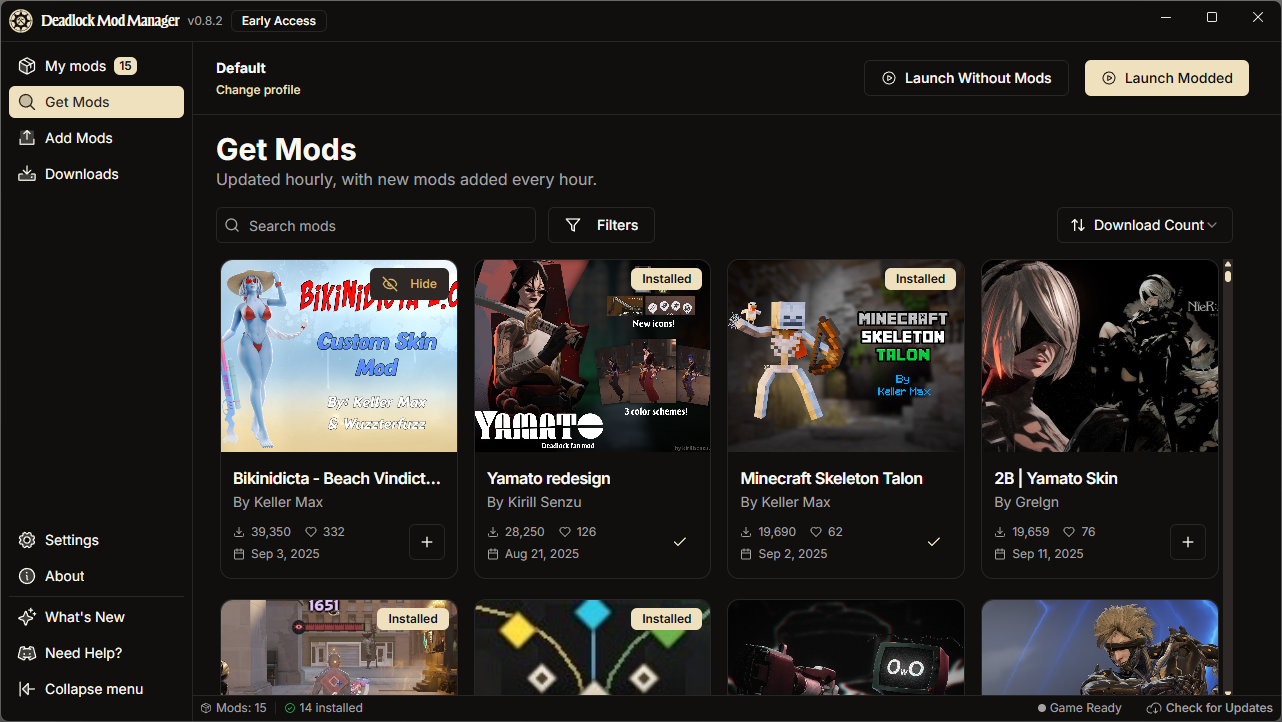
Mods for Deadlock, minus the hassle. Find, install, and update mods in a couple of clicks. No folders, no guesswork.
Latest Updates
See What's New
Features
Make Deadlock yours
One-click install
Grab a mod and we’ll put it where Deadlock expects it. No manual steps, no guesswork.
Manage with confidence
See everything in My Mods. Toggle on/off, update, or remove whenever you like.
Built-in browser
Search and discover community mods without leaving the app. It’s all in one place.
Cross-platform
Works on Windows, macOS, and Linux. Small download, quick start, low overhead.
Open source
Trust what you use. Read the code, file issues, or contribute features. Your call.
Easy updates
Out-of-date mods are clearly marked. Update them in one click.
Stats
By the numbers
A growing library of mods and an active community making Deadlock better every day.
- Available Mods
- ...
- Mod Downloads
- ...
- App Downloads
- ...
FAQ
Frequently asked questions
Have a different question and can't find the answer you're looking for? Check out our comprehensive FAQ documentation or reach out by creating an issue.
- What is Deadlock Mod Manager?
- A small desktop app that makes Deadlock modding simple. Browse, install, and manage mods without touching your game folders.
- How do I install mods?
- Download and open Deadlock Mod Manager.
- We'll auto-detect Deadlock (or you can set the folder in Settings).
- Browse mods and click Download.
- The app installs the mod in the right place. No manual steps.
- Is it safe to use mods?
- Mods are third-party files. The app copies .vpk files to your game directory and doesn't patch your executable. Use good judgment and scan files if you're unsure.
- How do I uninstall mods?
- Open My Mods and remove what you don't want, or use Clear All Mods in Settings.
- Which platforms are supported?
- Windows, macOS, and Linux. Arch users can also install from the AUR.
- I found a bug, how do I report it?
- You can report bugs by creating an issue on our GitHub repository. Include steps to reproduce, what you expected, and what happened.
- Where can I find more detailed documentation?
- Check out our comprehensive documentation site for detailed guides, tutorials, and technical reference materials.
- Will Deadlock have official skins?
- Deadlock is evolving. If official cosmetics arrive, this app will still be here for community-made options.
- Can other players see my installed skins?
- No. These are client-side. Other players see default models and textures.